
Run TraxPoint from the floor.
Give managers and restaurant teams access to the operational information they need without returning to a desktop. Review Inventory, update counts, manage barcodes, check par levels and view cost information directly from a mobile device.
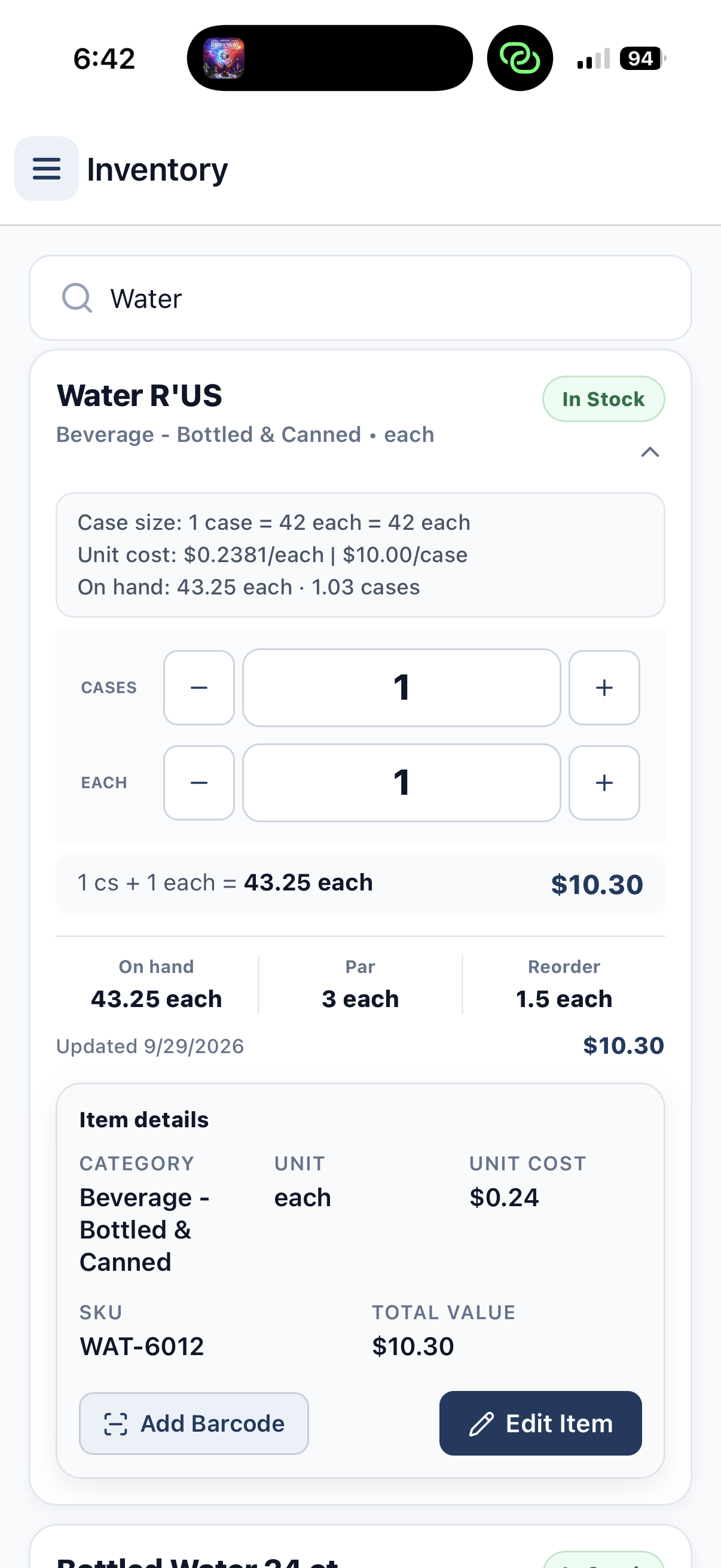
TraxPoint in your hand. Not a mockup.
This is a real mobile recording of TraxPoint moving through the restaurant operating system. The phone interface is intentionally left visible in the video so operators can see the product running on an actual device.
Count where the product actually is.
TraxPoint brings Inventory controls onto the phone so restaurant teams can work with product information while they are standing in the storage area, kitchen or operation.
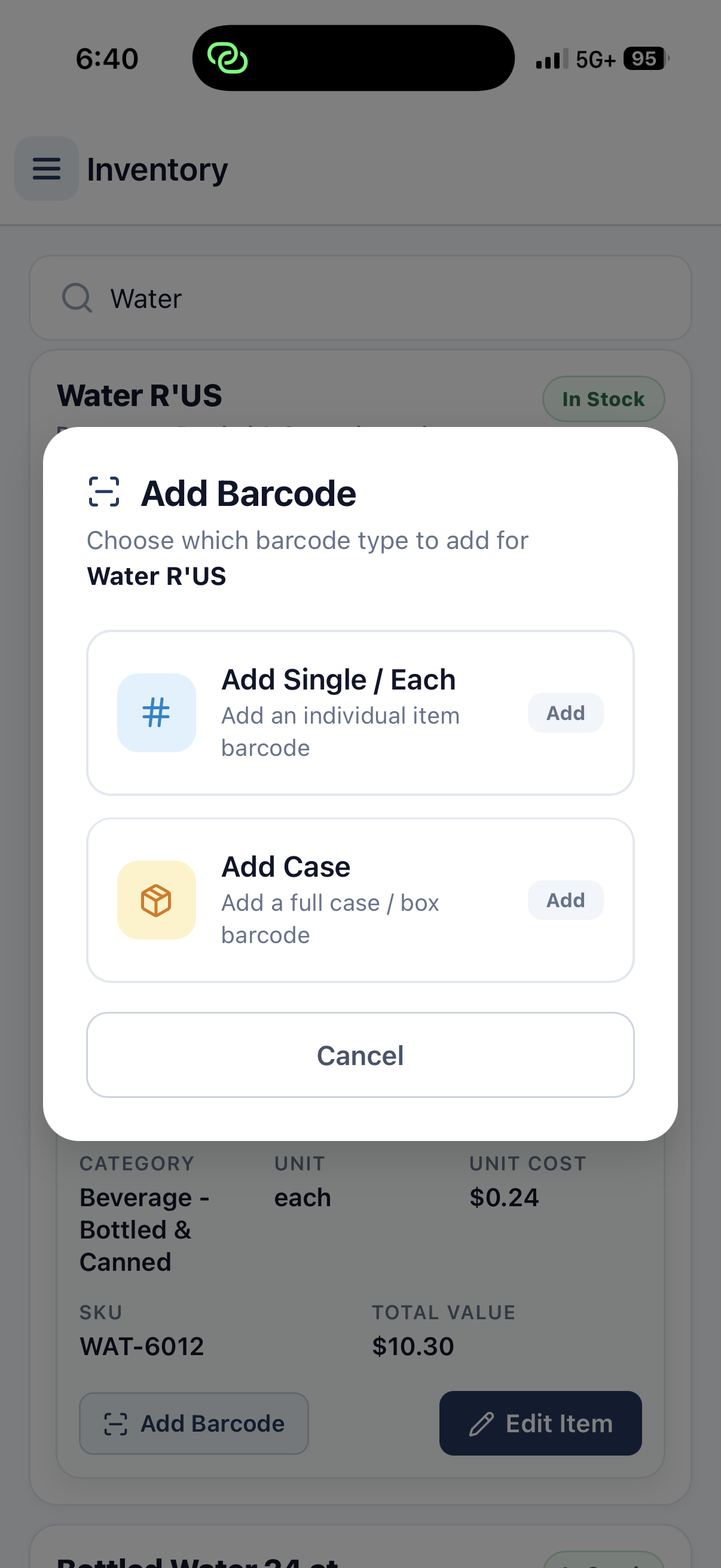
Connect the barcode to the right inventory unit.
TraxPoint lets teams add barcode relationships directly from the Inventory item. A barcode can be assigned to an individual unit or to the full case so the system understands what that barcode represents.
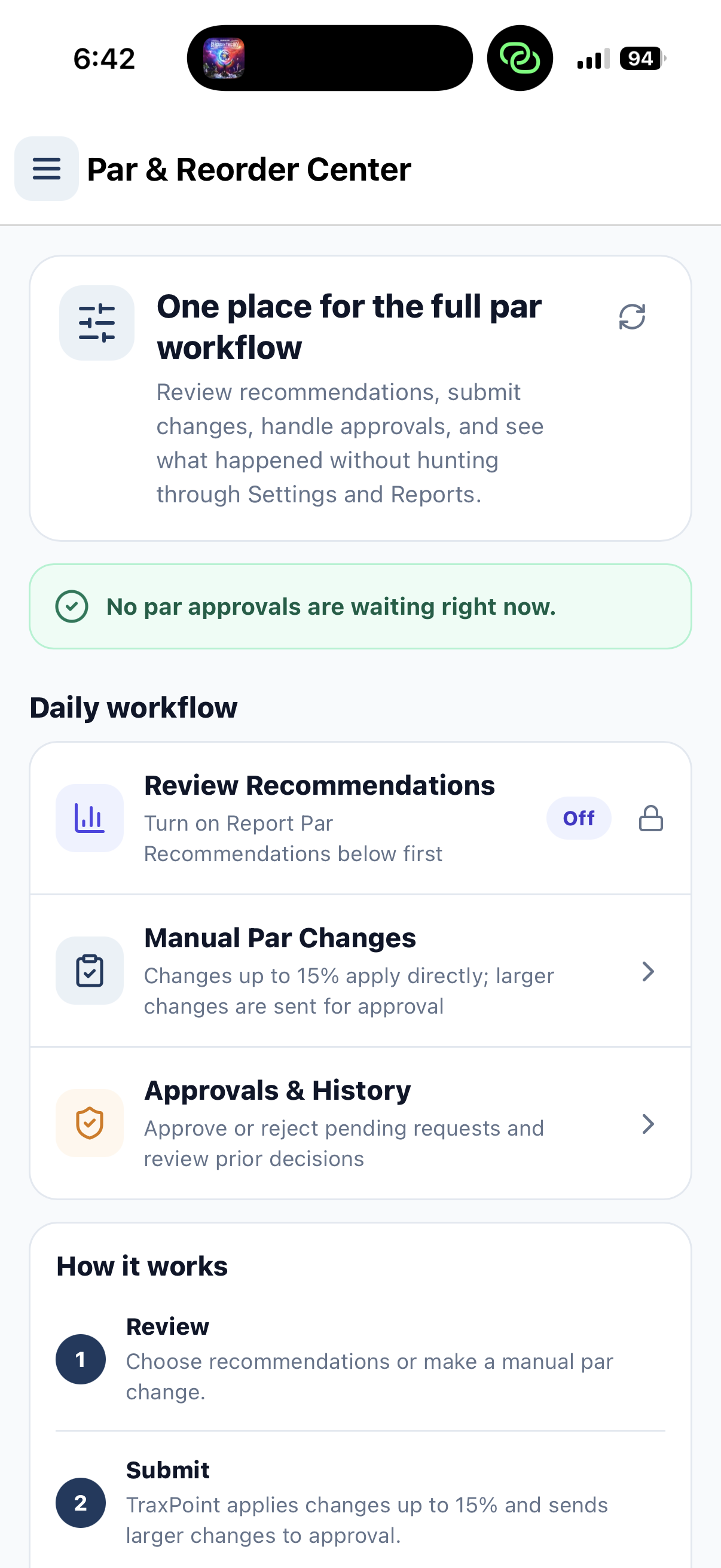
Keep stock targets within reach.
Managers can review the par workflow from mobile instead of hunting through separate settings and reports.
Inventory is not the only thing available on the phone.
TraxPoint also brings restaurant sales and purchasing cost information into the mobile experience so managers can review operational numbers away from the office computer.
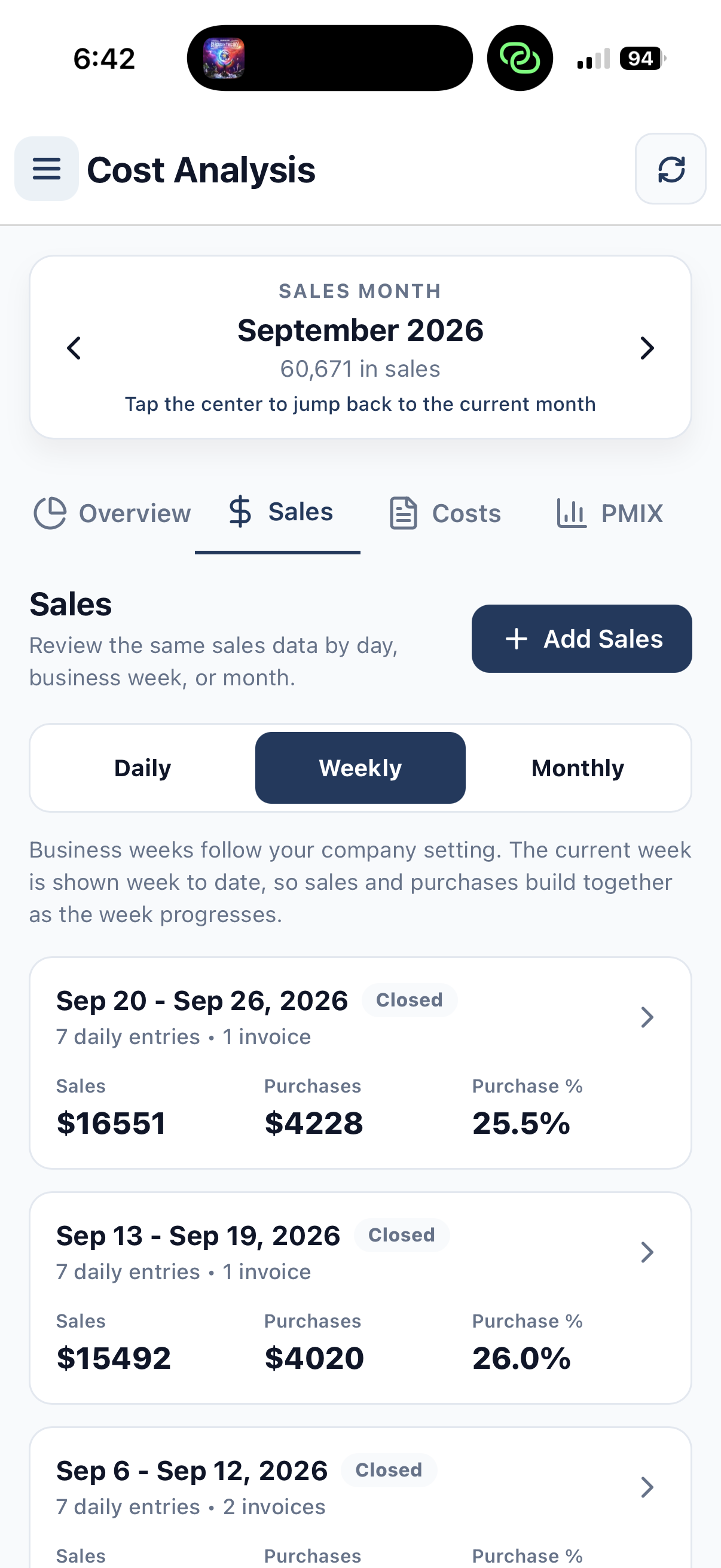
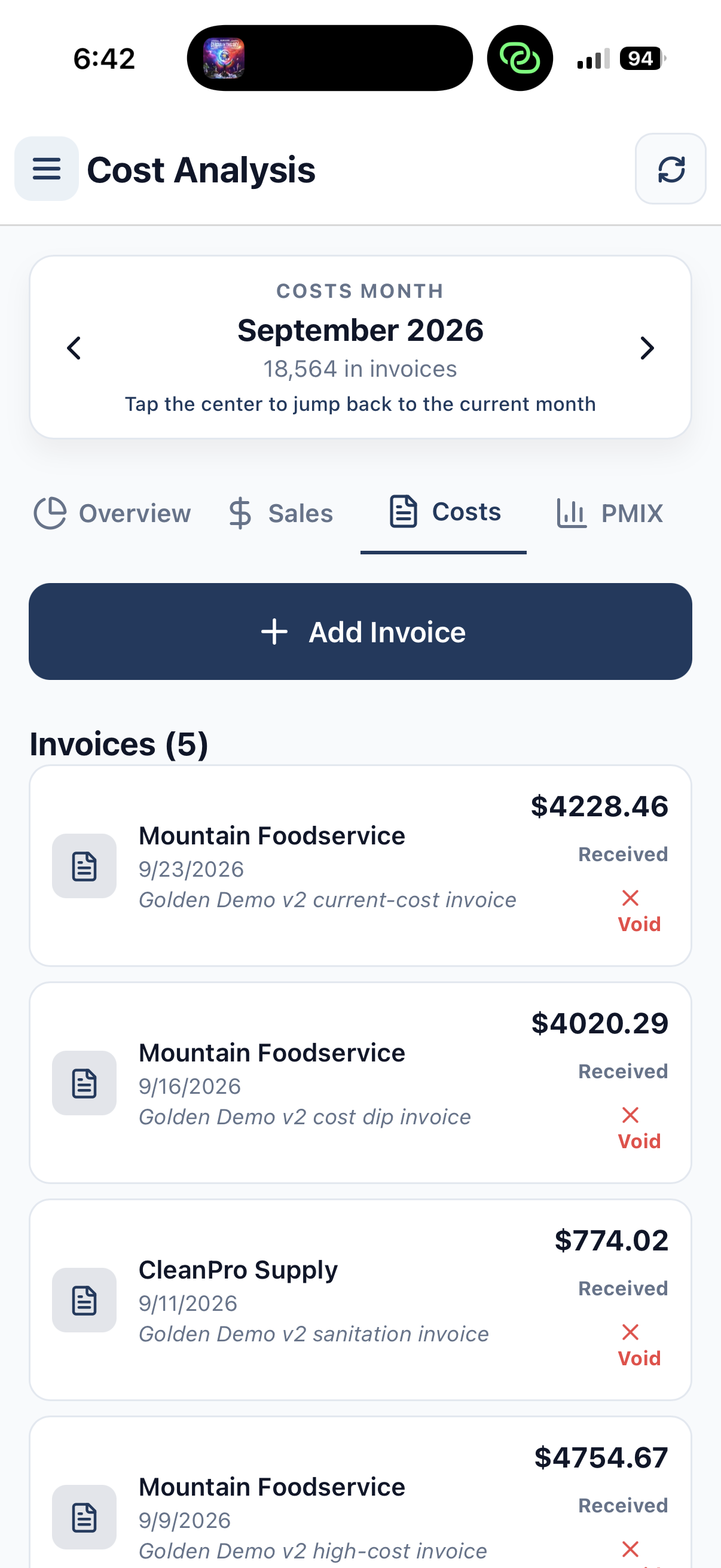
Sales
Review sales information by operating period from mobile.
Purchases
Compare purchasing activity alongside restaurant sales.
Invoices
Review received supplier costs without returning to desktop.
Operating Context
Keep the numbers connected to the same TraxPoint system.
Mobile is another way into TraxPoint. Not another disconnected app.
The information managers use on mobile stays connected to the same Inventory, cost, purchasing and reporting workflows used across TraxPoint.
Inventory
Work with quantities, product information, par levels and item costs from the restaurant floor.
Explore Inventory →Cost Analysis
Review sales and purchasing information without being tied to a desktop computer.
Explore Food Cost →Reporting & PMIX
Keep restaurant operating information connected as sales data moves through TraxPoint.
Explore Reporting →Take the operation with you.
Start your 14-day TraxPoint free trial and give your restaurant team access to Inventory, par levels, barcode management, sales and cost information from mobile and desktop.