
Know what to order. Before you place the order.
TraxPoint connects current Inventory, par levels, reorder points and usage history to help managers understand what needs purchasing and how much to order.
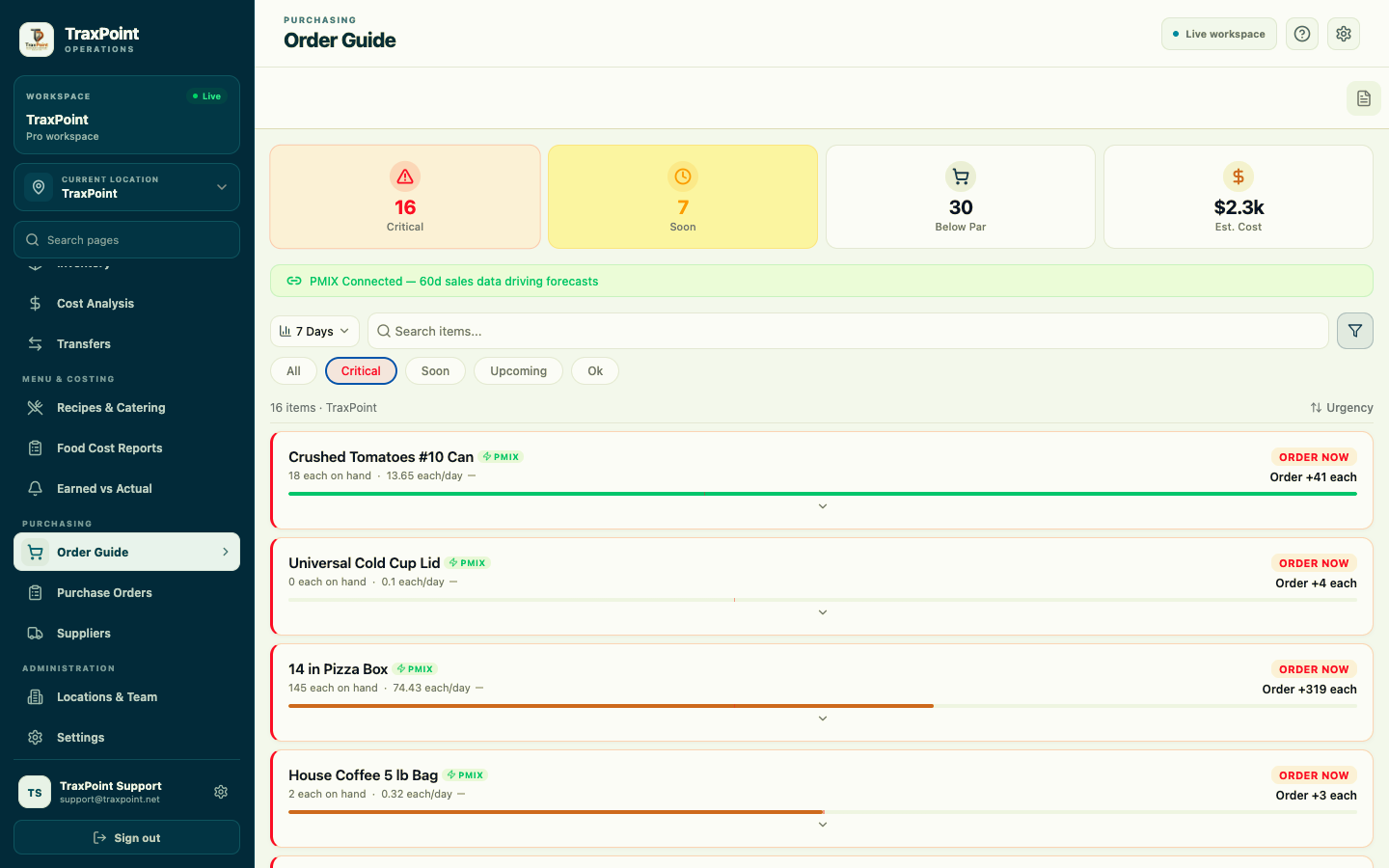
See the Order Guide work.
Watch TraxPoint use PMIX-connected sales history, current stock, par levels and projected usage to highlight items that need ordering.
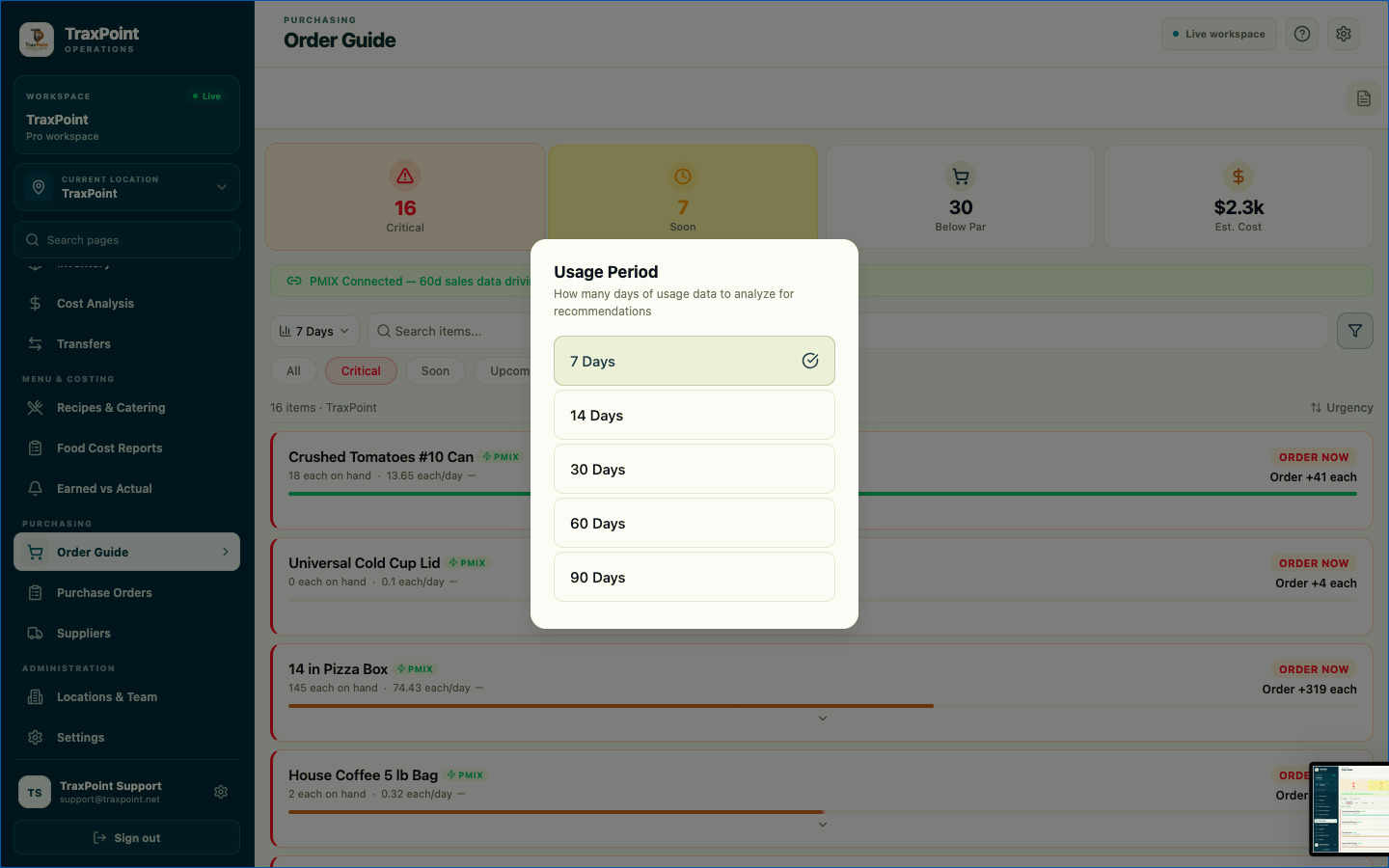
Look beyond today's stock. See how the product is moving.
Managers can change the usage period used to review purchasing needs and compare current Inventory against recent product movement.
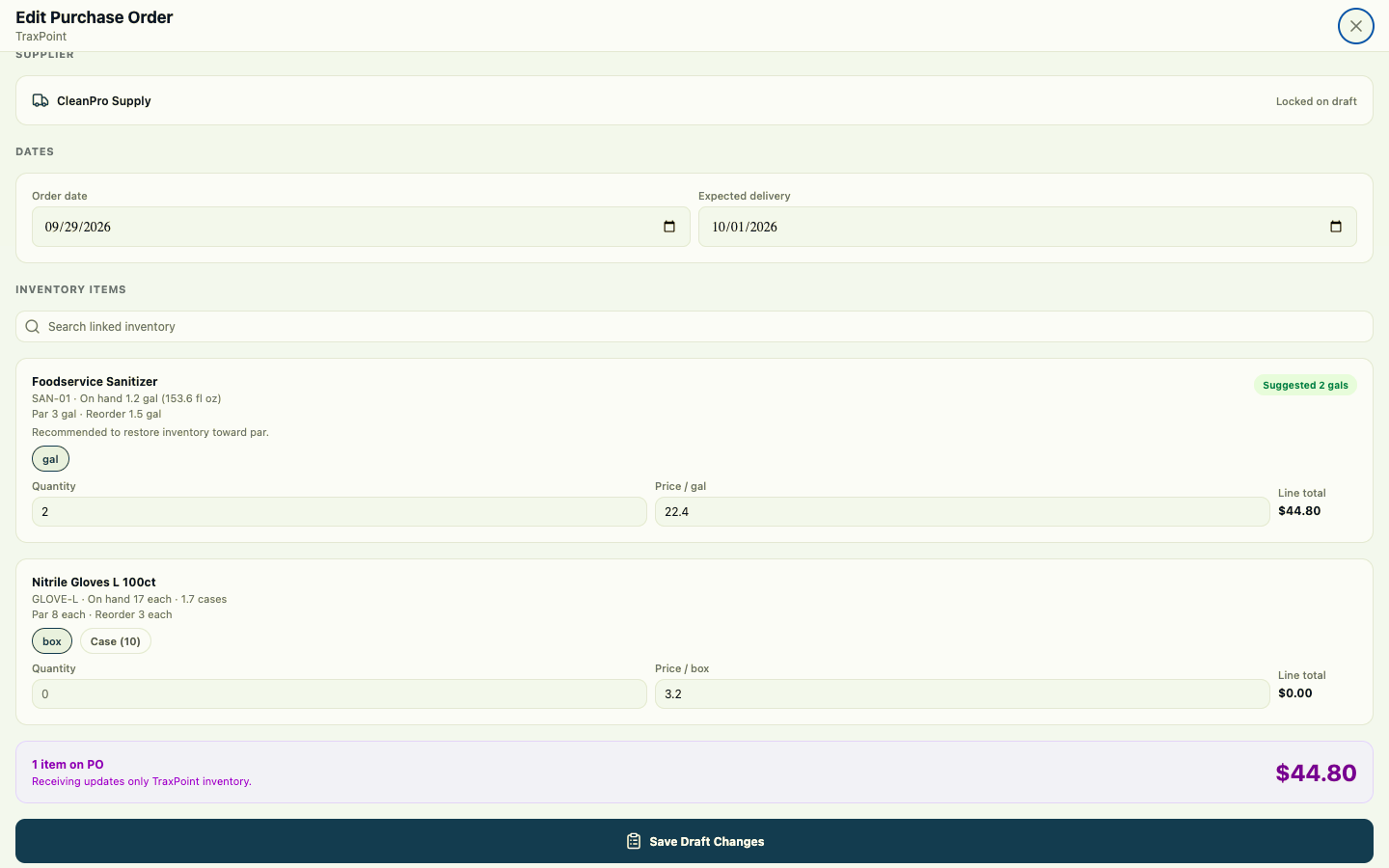
From recommendation to the real order.
Once purchasing needs are clear, TraxPoint carries the workflow into a supplier purchase order with the operational details kept together.
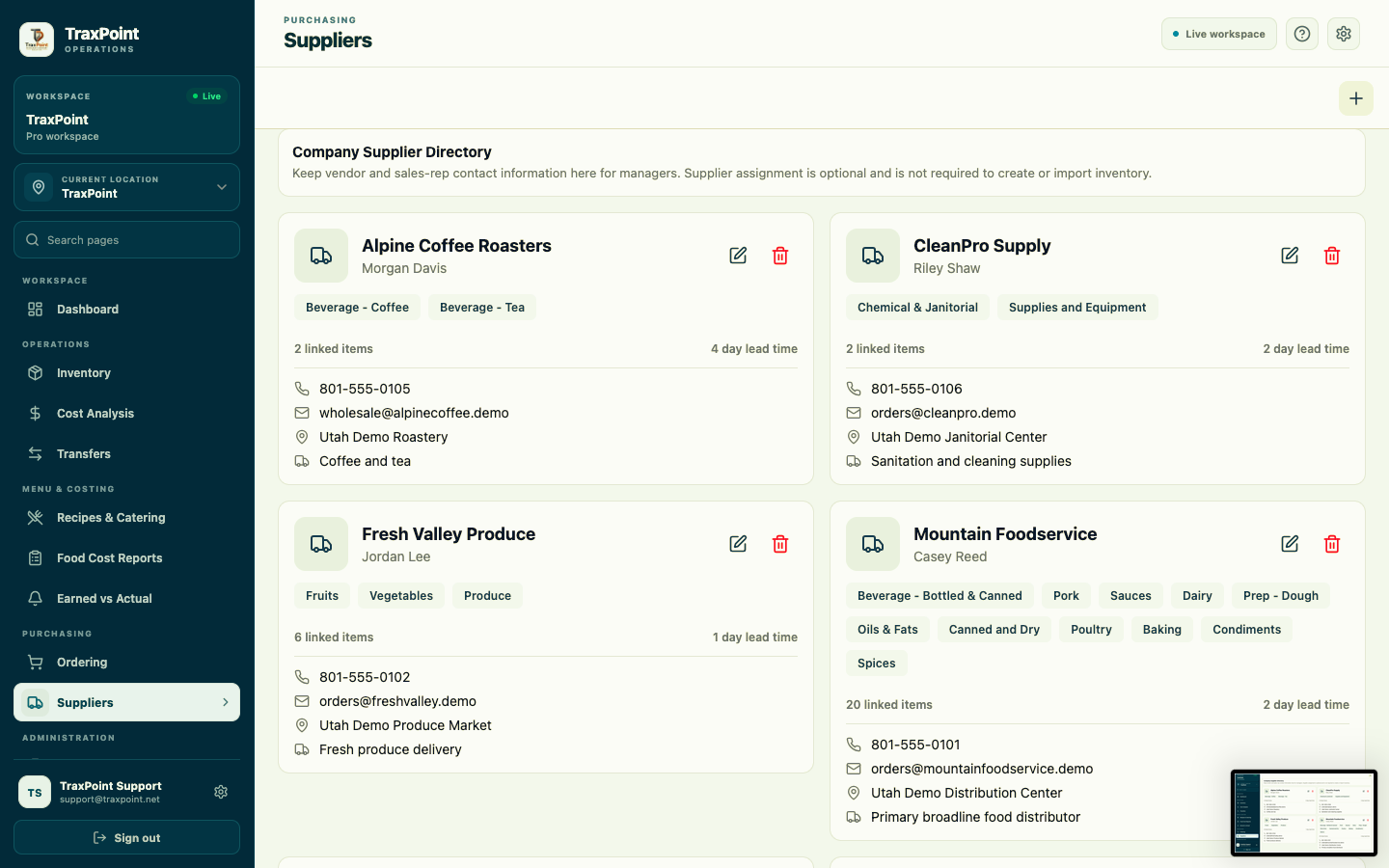
Know who supplies what. Keep purchasing organized.
Supplier records keep contacts, categories, linked items, lead times and ordering information connected to the products your restaurant buys.
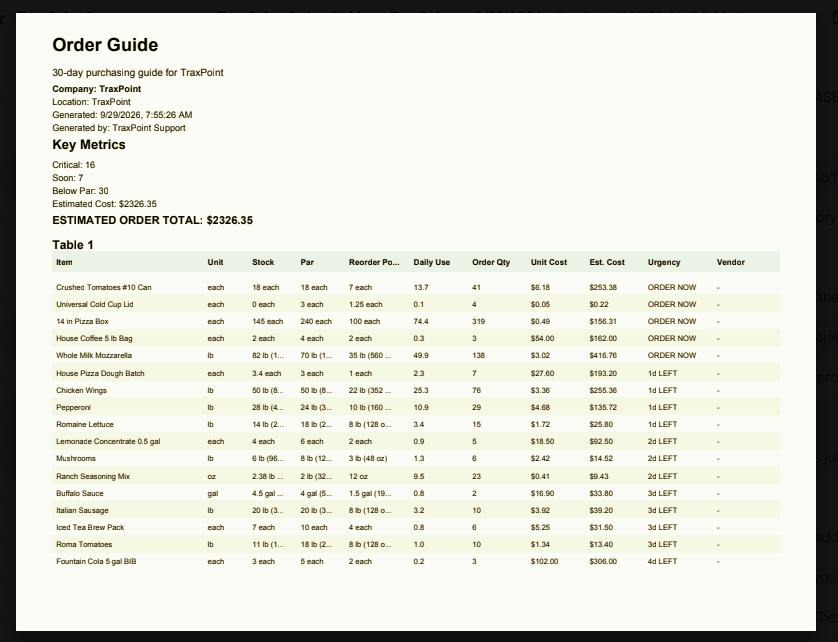
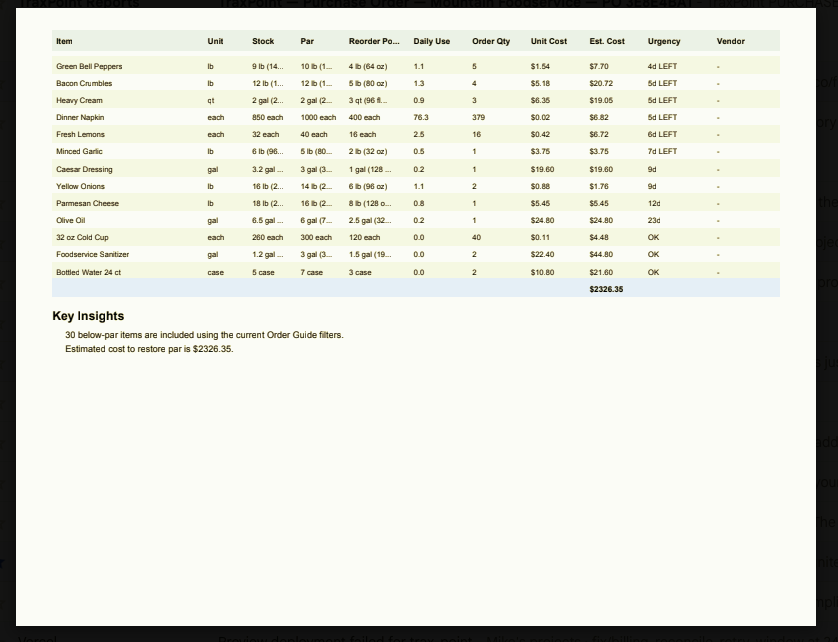
Turn the recommendation into a usable order guide.
Generate a purchasing summary with the numbers managers need to review before placing the order.
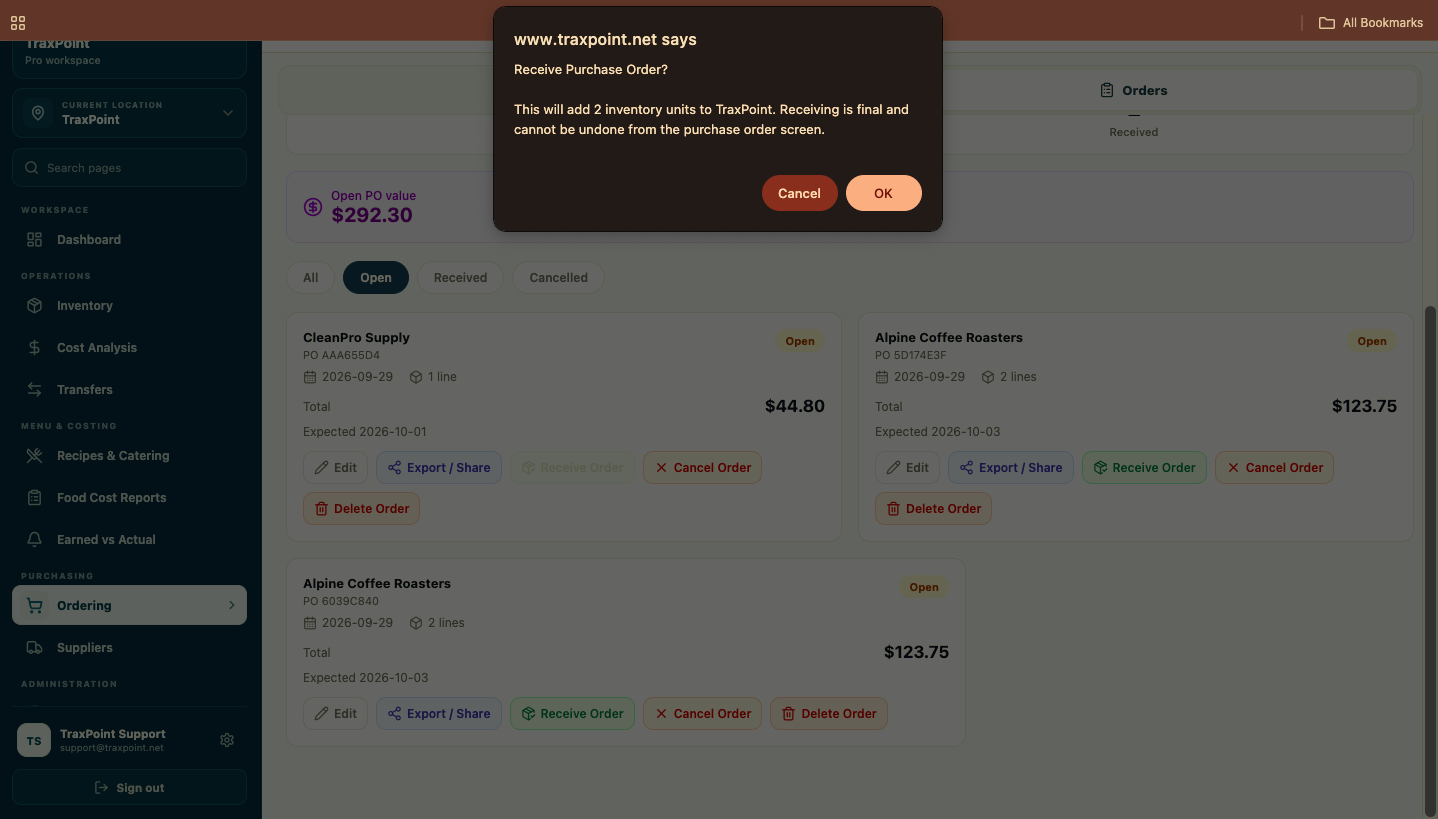
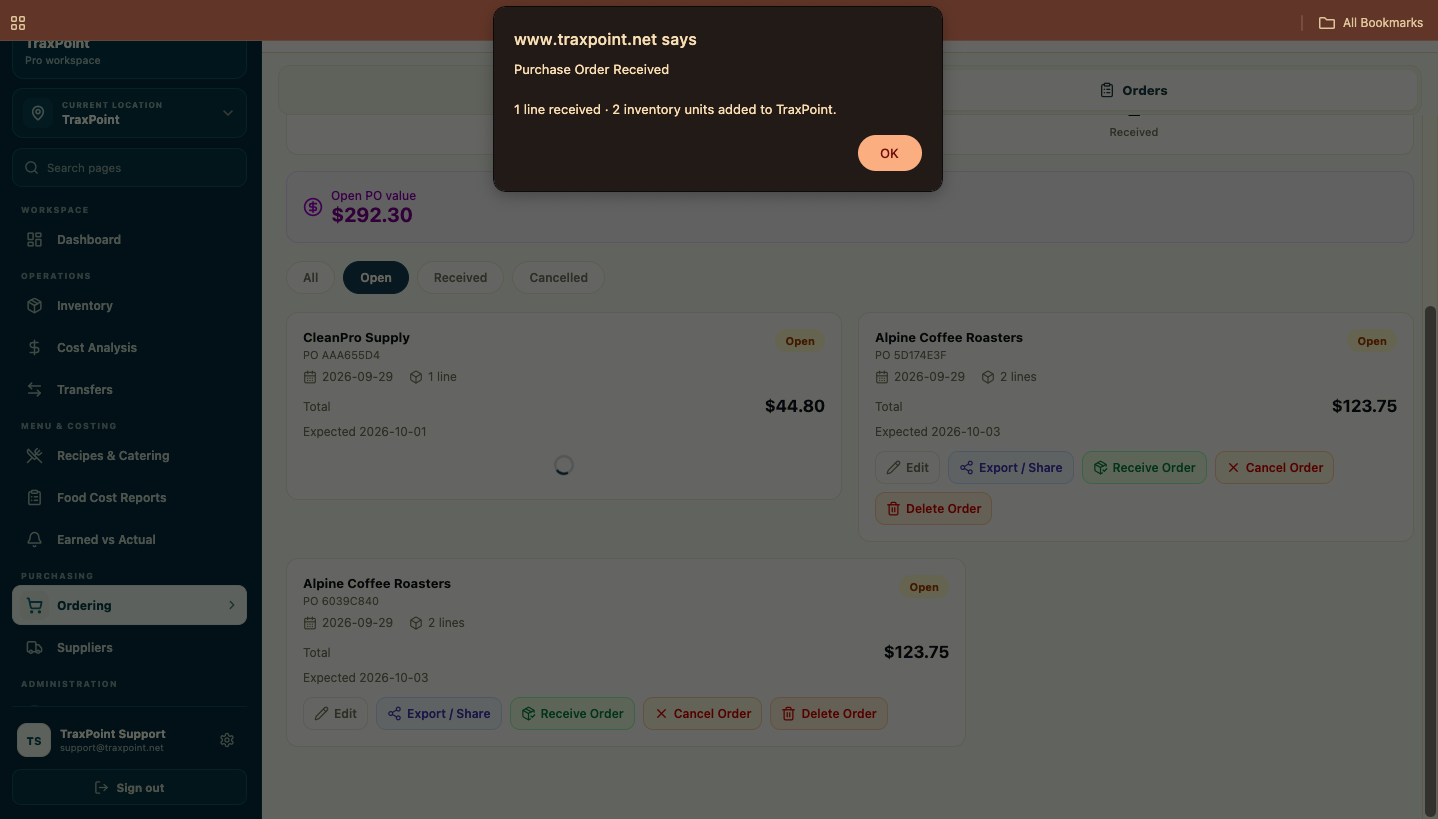
The order arrives. Inventory moves with it.
Receiving completes the purchasing cycle. TraxPoint confirms the action and adds the received units back into Inventory.
Purchasing does not live alone. The data around it matters.
Inventory levels, PMIX sales history, suppliers and cost information work together to give managers a more useful purchasing workflow.
Inventory
Current quantities, par levels and reorder points provide the foundation for purchasing decisions.
Explore Inventory →Cost Analysis
Product and purchasing costs provide context for the broader restaurant cost picture.
Explore Food Cost →Reporting & PMIX
Sales and usage information help support projected purchasing needs in the Order Guide.
Explore Reporting →Know what needs ordering. Carry it through to Inventory.
Start your 14-day TraxPoint free trial and connect ordering, purchase orders, suppliers and receiving inside one restaurant operating system.